SETUP WIZARD
Audio Setup


Select a audio device driver and optimize the settings
What's an audio device?
You may have a soundcard in your computer, a chip on your motherboard or it may be an external device connected by USB/FireWire/Bluetooth (avoid Bluetooth devices, they introduce significant audio delay). The audio device is the device hardware that makes the sound you hear from your computer. The audio device driver is the software interface between the operating system and the audio device. The driver tells the operating system, and so FL Studio, what inputs, outputs and what sample rates the audio device can support. For Windows ASIO is very important to achieve the best performance. macOS uses Core Audio ('Built-in Audio' or your device name as shown in the list) and this will provide the best performance.
Audio interface driver selection & settings
- Start FL Studio and press the F10 key on your keyboard to open the System Settings. Alternatively choose Audio settings from the Options Menu.
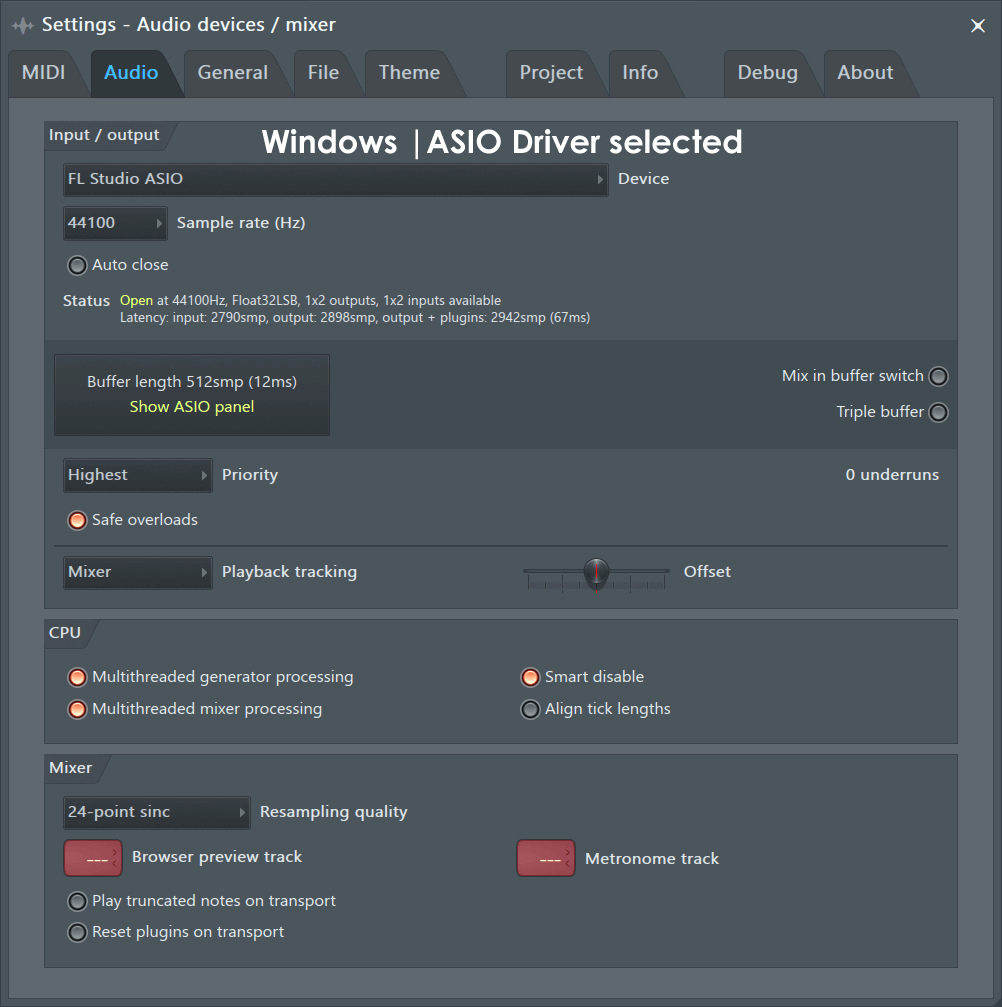
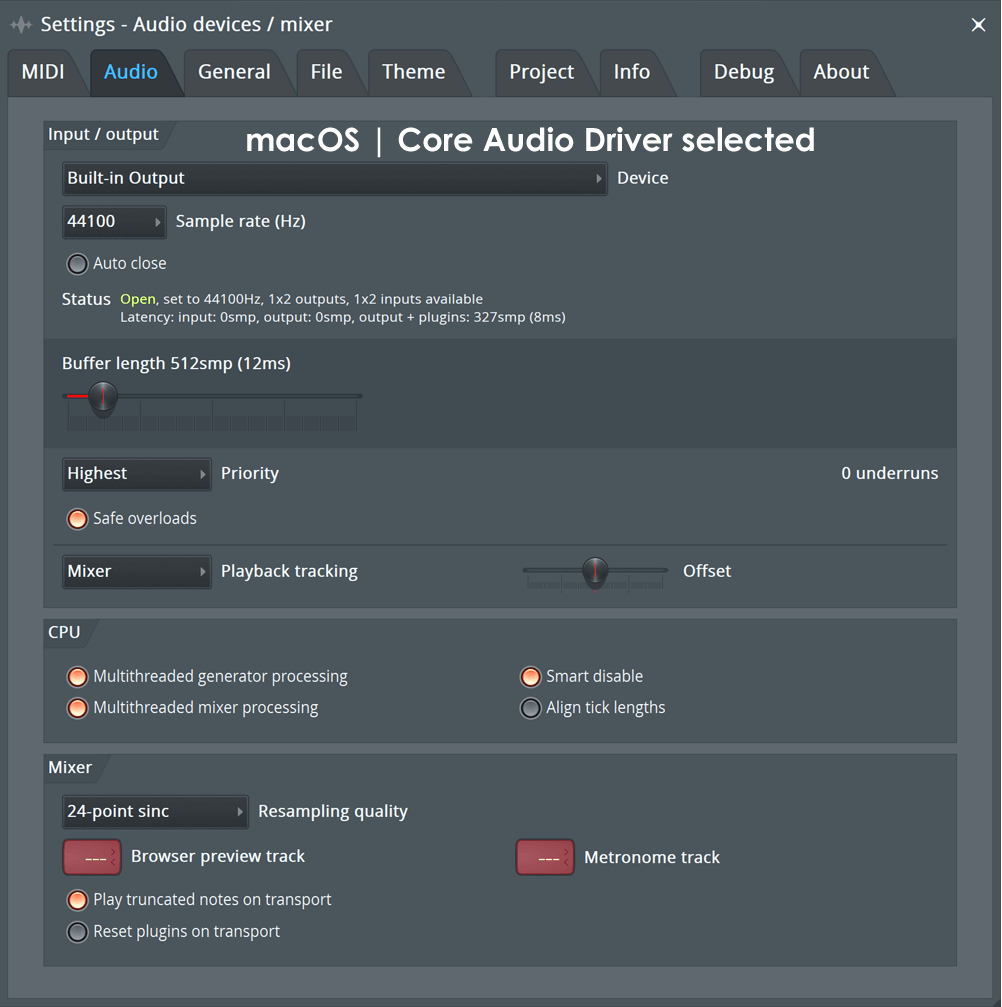
- Click the Audio tab (shown below) in the System Settings window.
- In the Input / output section there is a drop-down menu with a list of audio drivers installed on your system. If you have more than one audio device then you can use the Input / output menu to swap between
them, only one audio device driver can be used at a time (see the Win: ASIO4ALL / Mac: Aggregate Device sections for a work-around).
We recommend you select: Win: FL Studio ASIO / Mac: Built-in Audio. If you have an audio device with a custom supplied ASIO/Core Audio driver then use that. NOTE: On WIndows, ASIO drivers are a pre-requisite for audio recording.
- Mixer - If possible, set the sample rate to 44100 Hz (alternatively use 48000 Hz, click OK to any warnings). Make sure Interpolation is set to 24-point sinc or lower. Leave the switches in the default positions for now.
- CPU - If you have a multi-core CPU make sure 'Multithreaded generator processing' & 'Multithreaded mixer processing' are selected. 'Smart disable' should be selected for all CPU types. These options should help you squeeze the most performance out of your CPU.
NOTE: Select the best drivers for your audio device.
Your 'Output' options may be different, they depend on your brand of audio device and installed drivers. Not all cards have native ASIO driver options, so in that case use FL Studio ASIO.