FL STUDIO ROCKS!
Main Windows
The FL Studio desktop is based on a number of windows, most of these are movable (with overlap), resizable, zoomable, dockable and switchable so if a window isn't visible open it using the Shortcut toolbar (or the function keys as noted in brackets). The main windows involved in FL Studio music creation are - Channels ((F6), Piano roll ((F7), Mixer ((F9) and Playlist ((F5). The Browser ((Alt+F8) is used to access audio files & presets from within FL Studio (see the File setting options for adding folders on your PC to the Browser).
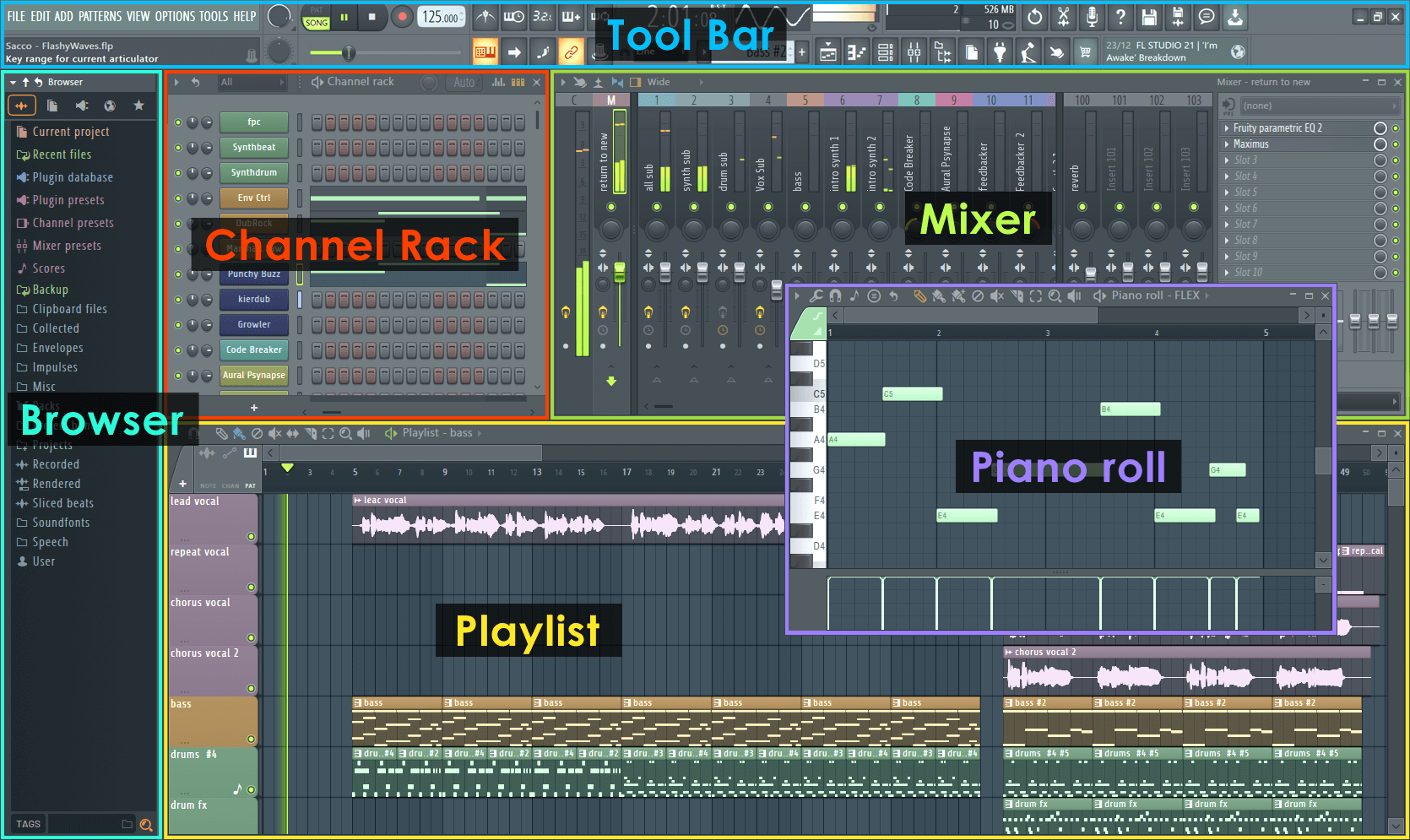
Click the image above and jump to the help on that section.