EFFECTS / MIDI
VFX Color Mapper
When VFX (voice effects) Color Mapper is used in Patcher, up to 16 independent generators/instruments (or groups of generators) may be controlled from the 16 note colors of the Piano roll.
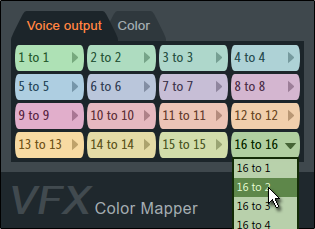
Parameters
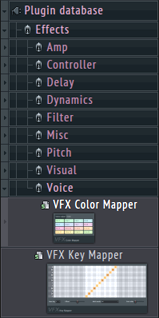
In most cases there's no need to adjust the Voice output or Color mappings. Simply add VFX Color Mapper to the Patcher project by dragging from the Browser > Effects > Voice category and drop on the Patcher Map. For fast linking drop on the Events link into the plugin you would like to control.
Voice Output
VFX Color Mapper sends 'voice' data, note and note related events, to linked plugins. A voice port is conceptually similar to a MIDI channel except that it is limited to note data including note related properties (Pan, Velocity, Mod X, Mod Y & Fine Pitch).
- Colors - By default note colors 1 to 16 are mapped to voice ports 1 to 16 AND only voice ports 1 to 4 are activated on the output side. Drag a link from the target plugin to the middle of VFX Color Mapper and release to select ports 5 to 16.
- Mapping - Click the drop-down menu on a color to redirect a note color to the desired voice port. There are no restrictions on how many colors map to the same voice port. NOTE: Voice port mappings can be automated, Right click a color, select 'Activate' then right-click again to select automation options as usual.
Color
Color mapping changes the note color associated with a voice as it passes through VFX Color Mapper. Why would you want to do that? Some note colors are used by certain plugins for special purposes. For example, note color 16 controls filter cutoff frequency in Harmless. So if color 16 was re-mapped to voice port 1, you may also decide to remap color 16 to color 1 to avoid it being used as a special purpose color by Harmless. Or you may like to work with colors 1, 5, 9 and 13 as they are most distinguishable, but want 13 to act as special note color 16 and so remap it.
- Colors - By default colors 1 to 16 are mapped to colors 1 to 16 (no change).
- Mapping - Click the drop-down menu to redirect a color to another. There are no restrictions on how may colors map to the same color. NOTE: Color mappings can be automated, right-click to select automation options as usual.
- Conflicts - Be aware that some plugins use note colors for special functions. For example Harmless, Harmor and Slicex. Keep these in mind otherwise you may get unexpected behavior when using these plugins and remapping colors to plugins.
Working with VFX Color Mapper
To connect a plugin to VFX Color Mapper, generally it's easiest to drag from the plugins event input port to the middle of VFX Color mapper to expose the pop-up ports available.
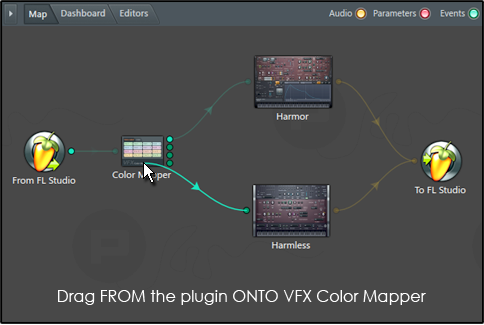
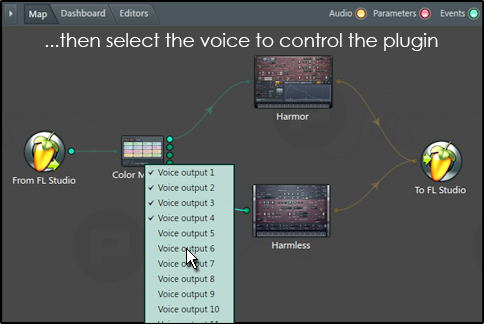
After routing colors to Plugins use the color selector, and so note colors, to control the plugins independently from a single Piano roll.
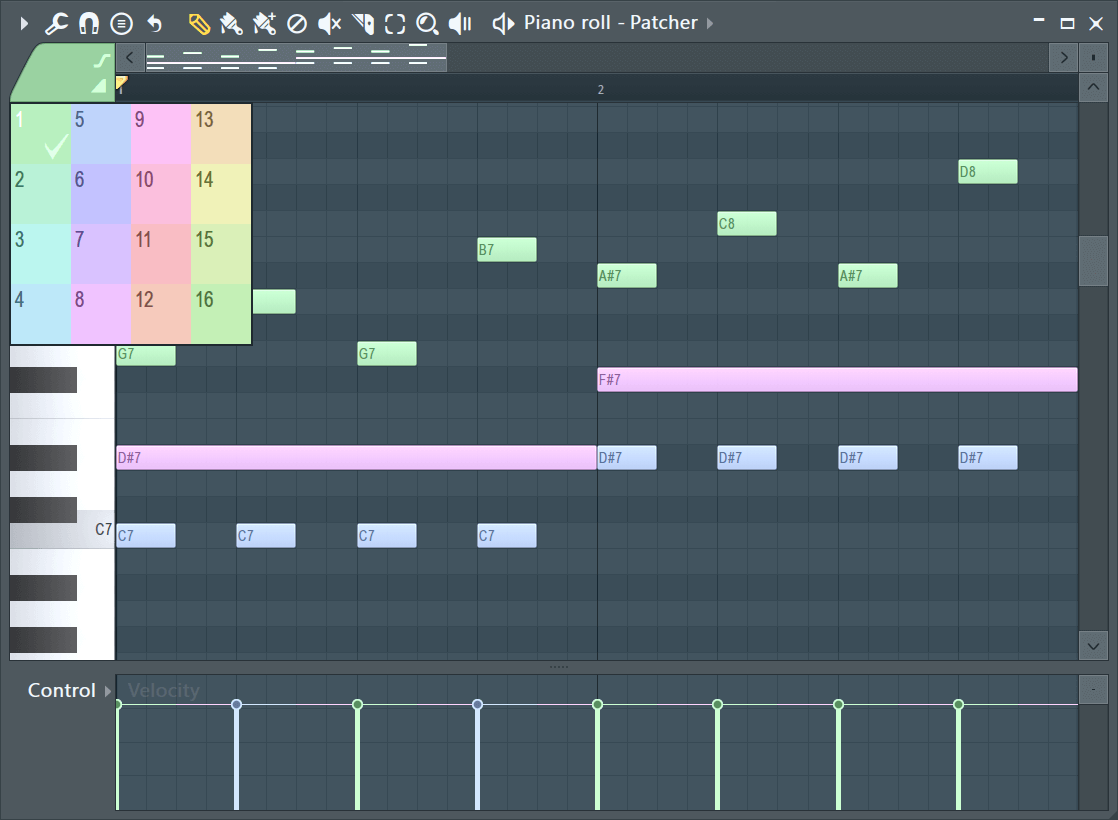
NOTES: A single Voice output may be routed to as many instrument/generator inputs as desired. To activate all Voice outputs - Right-click VFX Color Mapper to open Outputs > Events > Activate all.
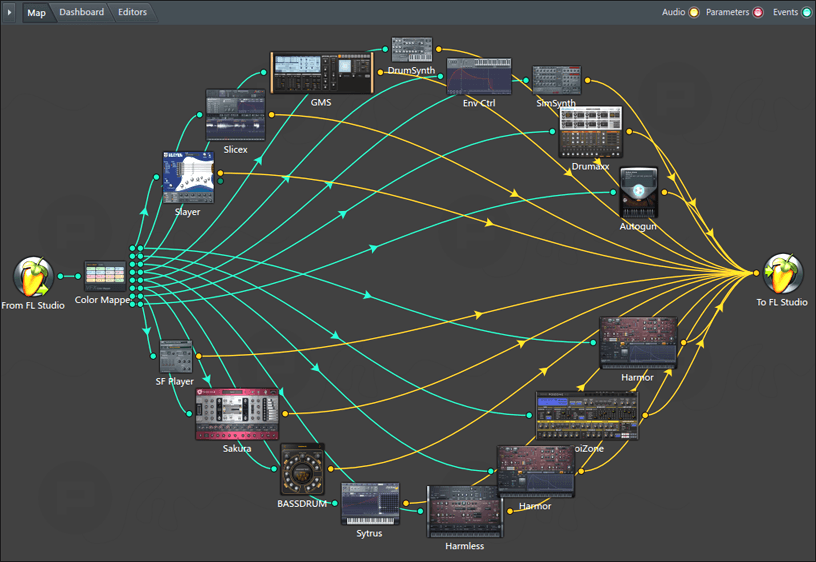
Control up to 16 separate plugins (or plugin groups) with VFX Color Mapper.